Oracle Cloud Infrastructure (OCI) has rapidly become a prominent platform for deploying and managing cloud-based applications and services. As organizations increasingly migrate their workloads to the cloud, understanding the fundamental terms and concepts associated with OCI becomes essential for beginners. This article aims to introduce newcomers to the core components of OCI, explain key terminology, and provide practical examples to help demystify these concepts. Whether you are a developer, system administrator, or IT manager, grasping these foundational ideas will facilitate smoother navigation and effective utilization of OCI’s capabilities.
Introduction to Oracle Cloud Infrastructure and Its Core Components
Oracle Cloud Infrastructure (OCI) is a comprehensive cloud platform designed to deliver high-performance computing, storage, networking, and security services. It is built to support enterprise-grade workloads, offering scalable and reliable infrastructure solutions. At its core, OCI provides a range of services that enable users to run applications, store data, and manage resources efficiently in a cloud environment. The platform emphasizes flexibility, security, and cost-effectiveness, making it suitable for a variety of use cases from development to large-scale enterprise deployments.
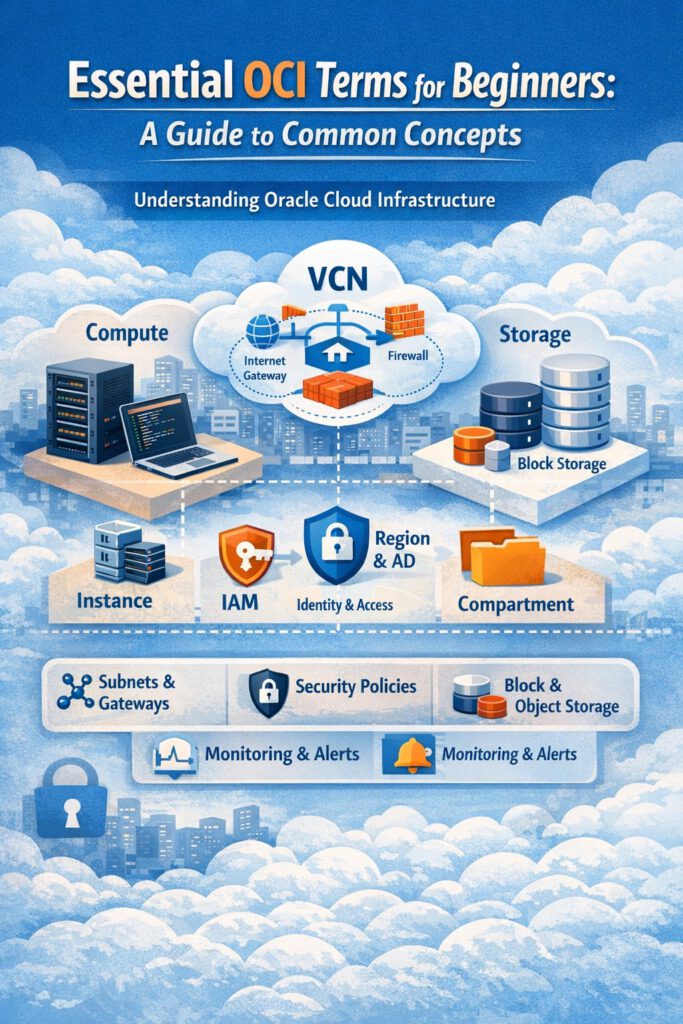
The primary components of OCI include Compute, Storage, Networking, Database, and Identity and Access Management. Compute services allow users to create virtual machines (VMs) and containers for running applications. Storage options encompass block storage, object storage, and file storage, catering to different data needs. Networking features enable the creation of Virtual Cloud Networks (VCNs), subnets, and gateways to securely connect resources. The Identity and Access Management (IAM) system controls user access and permissions, ensuring security and governance across resources. These core components work together to provide a cohesive cloud environment tailored to diverse organizational requirements.
In addition to these core services, OCI offers tools for monitoring, automation, and security, such as logging, alarms, and Web Application Firewall (WAF). The platform also supports hybrid cloud configurations and integration with on-premises data centers, enabling flexible deployment strategies. Understanding how these components interact is crucial for designing efficient cloud architectures. Overall, OCI’s architecture is designed to provide a robust, scalable, and secure foundation for deploying modern applications and services in the cloud.
Key Terminology and Concepts Every OCI Beginner Should Know
For newcomers, familiarizing themselves with essential OCI terminology is vital to navigating the platform effectively. One of the fundamental terms is Virtual Cloud Network (VCN), which functions as a customizable, private network within OCI, enabling secure communication between resources. Closely related are subnets, which partition a VCN into smaller segments, often used to isolate different environments like development, testing, and production. Understanding Internet Gateway and NAT Gateway is also key, as they facilitate outbound internet access for resources within a VCN while maintaining security controls.
Another important term is Compute Instance, which refers to a virtual machine created within OCI to run applications or services. These instances can be configured with various shapes, which define the CPU, memory, and network capacity. Object Storage is a scalable storage solution used for storing unstructured data such as images, videos, or backups, accessible via unique object identifiers. Block Storage provides high-performance, persistent storage volumes that can be attached to compute instances, similar to traditional hard drives. Additionally, Identity and Access Management (IAM) is a critical concept that manages user permissions, roles, and policies to control access to OCI resources securely.
Understanding the difference between Regions and Availability Domains is also fundamental. Regions are geographically dispersed data centers, while Availability Domains are isolated data centers within a region that provide fault tolerance and high availability. Compartment is another key concept, serving as a logical container to organize and isolate resources for management and billing purposes. Mastering these terms helps users design, deploy, and manage cloud resources more effectively, ensuring security, scalability, and operational efficiency.
Practical Examples to Understand Common OCI Terms in Use
To better grasp OCI concepts, consider a typical scenario where a company deploys a web application. First, they create a Virtual Cloud Network (VCN) to serve as the private network environment for their resources. Within this VCN, they set up subnets—one public subnet with an Internet Gateway to host web servers accessible from the internet, and a private subnet for database servers that are not directly accessible from outside. They launch Compute Instances in the public subnet to run the web application, configuring each with a specific shape to meet performance needs.
For data storage, the company attaches Block Storage volumes to their web server instances for persistent data and uses Object Storage to store static assets like images, videos, or backups. To control access and ensure security, they implement IAM policies that restrict who can create, modify, or delete resources within specific compartments. During deployment, they might choose a specific Region close to their users for reduced latency and select multiple Availability Domains within that region for high availability. This practical setup demonstrates how the core OCI terms come together in real-world cloud architecture, helping beginners visualize their application in action.
Monitoring and security are also vital aspects; the company can set up Alarms to notify administrators of unusual activity or resource utilization, and deploy a Web Application Firewall (WAF) to protect against common web threats. These tools leverage OCI’s integrated services, providing a secure and resilient environment for their application. By understanding these common terms and their relationships, beginners can confidently plan, deploy, and manage cloud resources in OCI, ensuring their infrastructure is scalable, secure, and aligned with best practices.
Navigating Oracle Cloud Infrastructure may seem complex at first, but understanding its essential terms and core components lays a strong foundation for effective cloud management. From virtual networks to storage options and security policies, these concepts form the building blocks of a well-architected cloud environment. With practical examples illustrating their application, beginners can develop confidence in designing and deploying OCI-based solutions. As you continue exploring OCI, mastering these fundamental terms will enhance your ability to leverage the platform’s full potential and support your organization’s cloud journey effectively.